 Instantly
 Smartlead
 Apollo
 lemlist
 Clay
 HubSpot
 Mailchimp
 Woodpecker
 Reply.io
 Saleshandy
 Zapier
 Google Sheets
 Make
 n8n


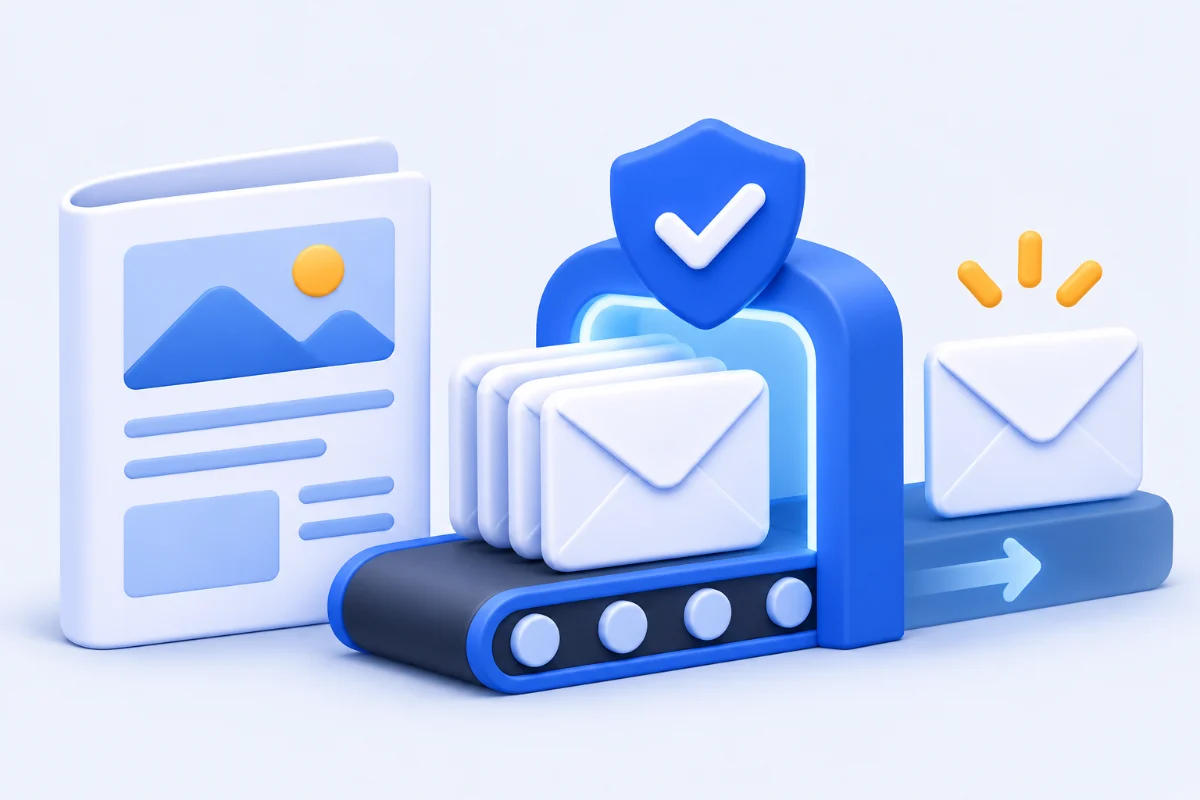
A newsletter list collects dead weight: typos at signup, throwaway inboxes from giveaways, readers whose work address closed when they changed jobs. Those addresses bounce, drag down your sender reputation, and on many email platforms you pay for them every month. Cleaning the list once, then checking new signups as they arrive, fixes most of it without touching consent.
TL;DR
- Dead subscribers cost twice: bounces hurt inbox placement, and platforms that bill by contacts charge for them. Mailchimp counts subscribed, unsubscribed and non-subscribed contacts toward your limit; only cleaned contacts are free.
- Verify at signup to stop typos and fake addresses, clean the existing list once, then re-check every few months and after any giveaway or import.
- Sending more than 5,000 messages a day to Gmail means one-click unsubscribe and a spam rate below 0.3%. A clean list makes both easier.
- Verification removes addresses that can't receive mail. It doesn't replace opt-in.
Why newsletters need list cleaning
Subscribers arrive from forms, giveaways, referral swaps, lead magnets and imports. Some mistype their address, some use a disposable inbox to get the freebie, and some were real but have since gone. Each type costs you in a different way:
- On your bill. Mailchimp's contacts guide says subscribed, unsubscribed and non-subscribed contacts all count toward your monthly contact limit; cleaned contacts (hard bounces and repeated soft bounces) don't. Kit's pricing is tiered by subscriber count, free up to 10,000 and $39 a month at 1,000 on its Creator plan, and counts subscribers "only if they are unique and active" (both checked 2026-11-22).
- On your reputation. Every hard bounce tells mailbox providers you mail addresses you haven't kept up. See sender reputation explained.
- On your metrics. Open and click rates are computed over everyone you sent to, so dead addresses make every issue look worse.
Platforms do clean up after the fact. Mailchimp's bounce guide says bounced addresses are removed from your audience, though not right away if the address recently engaged. But that happens only after the bounce has already been counted against you. Verification catches the address before the send.
What a list actually contains
Our own data comes mostly from B2B contact lists, not newsletters, so treat it as a guide to the categories rather than a forecast of your
numbers. In Mail Exchange's checks of 779,784 unique business addresses (17 Oct to 22 Nov 2026), 7.6% were undeliverable, 18.1% were on
catch-all domains, 13.4% were role addresses such as info@ or editor@, and 16.2% were free webmail addresses. Only
77 were disposable, because B2B lists rarely contain them; giveaway signups are where disposables turn up.
A consumer newsletter will have far more webmail and disposable addresses and fewer role addresses than this; a B2B newsletter will look closer to it. The simplest way to know is to check a random sample: the list sampler estimates your mix before you spend anything.
A simple routine
- Check at signup. Call the verification API from your signup flow before you store the address, and flag obvious domain typos in your form. Reject undeliverable and disposable addresses; accept the rest.
- Clean the existing list once. Export it and run it through bulk verification. Remove undeliverable addresses; keep deliverable ones; review risky ones (below).
- Re-verify every 3-6 months. Do it sooner after a large import, a giveaway or a referral campaign.
- Prune non-openers separately. That's engagement hygiene, not verification: a real inbox that never opens is a different problem from a dead one.
Mail Exchange's API answers a single address with POST /verify, usually in a few seconds; you create the key in your account. The
ready-made form widget is still in early access, so for now the signup check is a server-side call. See the
API reference and verification for signup forms.
Risky addresses in a consented list
A newsletter is different from cold email: everyone on it asked to be there. So the risky labels deserve a review rather than an automatic delete.
- Catch-all domains accept every address, so the mailbox can't be confirmed. If the subscriber opted in and has opened recently, keep them. If they have never engaged, they're a candidate for your next engagement prune.
- Role addresses such as
editor@ornewsroom@are often deliberate subscriptions for a team. Keep them if they engage; watch their complaint rate. - Disposable addresses were created to get past your form. Remove them.
Watch the next few sends to anything you kept. See email verification statuses for every label and reason.
The Gmail and Yahoo rules for newsletters
Google's sender guidelines (checked 2026-11-22) apply extra requirements once you send more than 5,000 messages a day to Gmail accounts: SPF, DKIM and DMARC, one-click unsubscribe with a visible unsubscribe link, and a spam rate in Postmaster Tools below 0.3%, with 0.1% as the recommended target. Yahoo has similar rules; see Gmail and Yahoo bulk sender requirements.
A clean list helps with the spam rate in a quiet way: old, forgotten addresses are the ones most likely to press "report spam" when an issue arrives that they don't remember signing up for. Removing dead and disposable addresses also stops recycled spam traps building up; see spam traps.
Giveaways, referrals and other growth sources
Contest and referral signups attract fake and disposable addresses, because the reward is the point. Verify those batches before you import them, and consider confirmed (double) opt-in for those sources. Tag every subscriber with its source, then compare the undeliverable share across sources after each cleaning. If one partner swap or paid channel brings twice the dead addresses of your organic signups, you have found where your list quality is going.
What a cleaned list changes
- Your bill, if your platform counts contacts: removing undeliverable addresses brings the count down at the next cycle.
- Bounce rate per issue, which drops because the addresses that would bounce are gone.
- Open and click rates, because they're computed over reachable subscribers.
- Inbox placement at Gmail and Microsoft, which depends on your reputation over time.
Cost is small next to a monthly platform bill: Mail Exchange plans start at $49 a month for 10,000 checks, Growth is $99 for 25,000, verifications reset every month (unused ones don't carry over), and unknowns and duplicates are refunded. Start with the free trial (25 checks) or see pricing.
Frequently asked questions
How often should a newsletter clean its email list?
Clean the whole list once, then every three to six months, and after any large import, giveaway or referral campaign. Checking new signups in real time keeps most bad addresses out between cleanings.
Will cleaning my list reduce my email platform bill?
If your platform bills by contacts, yes. Mailchimp, for example, counts subscribed, unsubscribed and non-subscribed contacts toward your limit, while cleaned contacts don't count, so removing undeliverable addresses lowers the count.
Do I still need double opt-in if I verify emails?
Yes, they do different jobs. Verification proves the address can receive mail; double opt-in proves the person wants your newsletter. Use both for giveaway and referral signups.
Should I delete catch-all and role addresses from my newsletter?
Not automatically. In a list people opted into, catch-all and role addresses can be real subscribers. Keep the ones that engage, and remove the ones that never open at your next engagement prune.